Ghostopia: Your Scraping Workforce, as a Little Pixel Town
We built Ghostopia to answer a simple question: what does a scraping workforce look like when you can actually see it working?
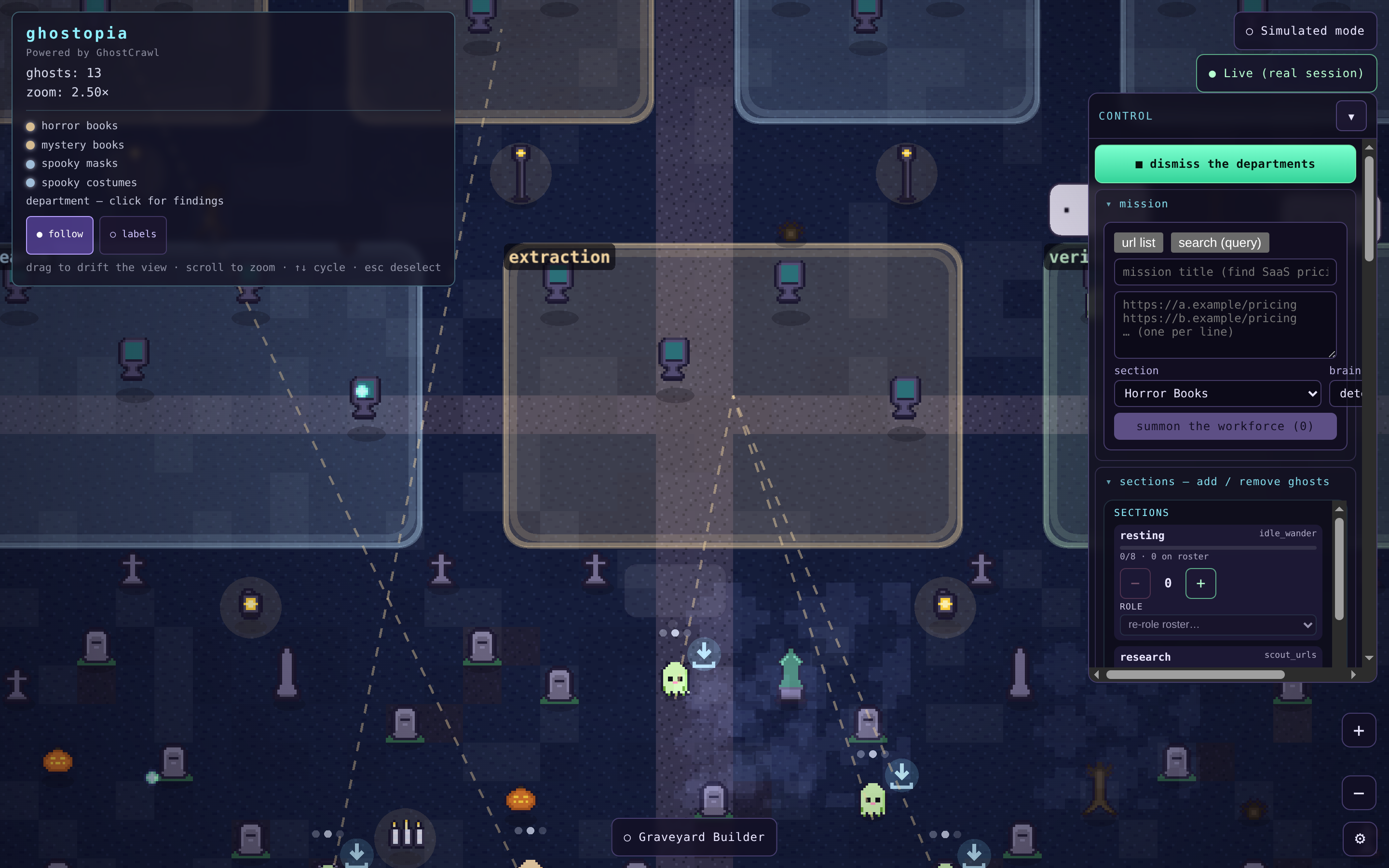
The answer turned out to be a small pixel-art town. Each ghost drifting around it is a real GhostCrawl session doing real work. You hand a department a target (a product page, a category, or a search), and its ghosts go fetch the goods and bring back store-ready records: title, price, rating, availability, a link, and a product image. You watch them work, then export the findings and feed your store.
Point it at your own page
Most of the value is in one move: retargeting a department at whatever you sell (or want to source).
Ghostopia ships with a few example departments already pointed at real catalog pages, so the town is busy the moment you connect a key. But those are just starting points. Open the department editor, drop in your own product URL (or a category, or a search query), and describe the fields you want back. The next time that department runs, its ghosts are working your target instead of ours.
That is the whole pitch for a dropshipper: point the workforce at a supplier’s catalog, let it bring back clean records with images, and export a file you can load straight into your store. No copy-pasting from a browser tab, no brittle one-off script that breaks the next morning.
Every ghost is real work
There is no fake data anywhere in Ghostopia. Click a ghost and you see what it is actually doing right now: a live browser view for the ones navigating pages, or a streaming feed of records for the ones fetching and extracting (a small thumbnail, the title, the price, and a running count of how much it has brought back so far).
Every department is a result repository. Ghosts scrape at computers spread across the department, then deliver their finds back to it. Click a department and its findings open right there: the records its ghosts have brought home, growing as they work. New results append in place (stable and deduped, so a re-run tops up the same list instead of churning it), and the whole surface is mobile-friendly, so you can watch the workforce from a phone.
From a department you export its findings as CSV or JSON (title, price, rating, availability, link, and image), built right in your browser from data the town already holds. That export is the payoff: the file that feeds your store.
Nothing is faked, including the waiting
Ghostopia is a plug-and-play consumer of GhostCrawl. You set a key and an endpoint (GHOSTOPIA_GC_TOKEN plus GHOSTOPIA_GC_BASE_URL, pointed at the cloud or your own self-host instance) and go. Your key lives only on the server (the town’s frontend is a thin renderer and never sees a credential).
And if you have not connected a key yet, the town simply waits. No canned demo records, no pretend ghosts going through the motions. It shows you a quiet graveyard and a short guide on how to summon the workforce. When a real session starts, the town wakes up.
Take it for a spin
Clone the harness, drop in your own GhostCrawl key, and run it locally with one command (make run): github.com/ghostcrawl/ghostopia.
The repo is source-available: edit it, self-host it, and use it for your own data needs. (The one thing you cannot do is point it at a scraping platform other than the one that powers it.)
Powered by GhostCrawl. Every ghost in Ghostopia is a real GhostCrawl session. If you want the same engines, routing, and structured extraction behind your own project, start at ghostcrawl.io.